Item added to cart ×

Setting Up Your TRACKLINK USB Interface

Setting Up Your TRACKLINK USB Interface

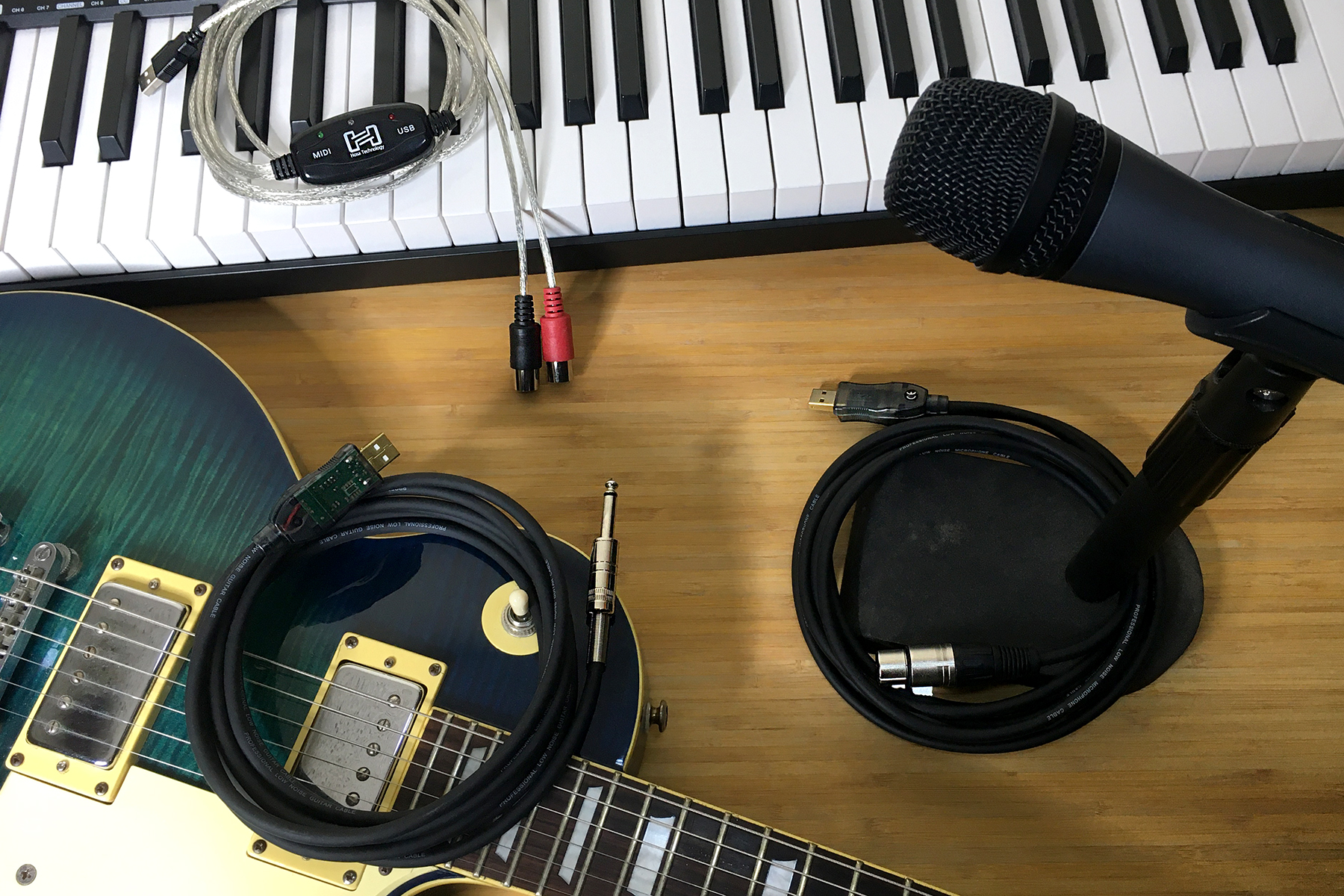
Hosa’s TRACKLINK USB interfaces give players and creators the option of bypassing a traditional audio interface in order to record or practice. TRACKLINK interfaces are USB cables with ¼ inch, XLR, or MIDI connectors on one end meant for guitar, microphone, and keyboards.

Getting set up with TRACKLINK is quick, easy, and convenient. We’ll take you through the setup steps for both Mac and Windows operating systems, but bear in mind there may be some variation as operating systems (OS) are often updated. The same rule applies to the recording software (DAW) you’re using, since all have some degree of difference in how they arm inputs.

XLR or ¼ inch to USB

First start by plugging the UXA-110 into a microphone, the USQ-110 into a guitar or ¼ inch output, then directly into your computer and follow the directions below based on your OS:

Mac OS 10.0 or later

  1. Go to Apple Menu > System Preferences and click Sound
  2. Click the “Input” tab
  3. Select “USB PnP Sound Device”
  4. Input level of your computer should reflect incoming signal
  5. Click the “Output” tab
  6. Verify your normal output option is selected
  7. Close window

Windows 10

  1. Allow Windows to install the driver before proceeding
  2. Go to Start Menu > Windows System > Control Panel
  3. In Category View, open Hardware & Sound
  4. Open Sound
  5. In “Playback” tab, select your desired playback option and click the “Set Default” button
  6. Click the “Recording” tab
  7. Select “USB PnP Sound Device” and click the “Set Default” button
  8. You can verify and adjust input levels by clicking the “Properties” button
  9. If you made any changes, click the “Apply” button
  10. Click the “Okay” button

*If you have Windows 7 or Vista, here are links to additional instructions for the UXA-110 and USQ-110.

Start Recording with Your TRACKLINK

Each software will be a little different, but it is important to select the TRACKLINK USB interface as input only and arm your audio track. Make sure the levels are low enough so you don’t pick up unwanted noise.

Below are quick visual guides for setting up your TRACKLINK USB interface:


MIDI to USB

First start by plugging the USM-422 into your keyboard, synthesizer, or drum machine, and then directly into your computer. Be sure that the red input is plugged into your keyboard’s output, and the black output is plugged into your keyboard’s input, then follow the directions below based on your OS:

Mac OS 10.0 or later

  1. Go to Applications > Utilities and open Audio MIDI Setup.app
  2. If MIDI window is not visible, go to the top menu and select Window > Show MIDI Window
  3. Verify an active device named “USB 2.0 MIDI” exists
  4. Highlight device and select “Test Setup”
  5. Clicking the arrow pointing out of the USB 2.0 MIDI icon should cause the green light on the TRACKLINK interface to flicker
  6. Playing keys on your MIDI keyboard should cause the blue light to flicker and the IN arrow in the computer’s MIDI window to become active
  7. If the test succeeds as explained above, close the window

Windows 10

  1. Allow Windows to install the driver before proceeding
  2. Go to Start Menu > Windows System > Control Panel
  3. In Category View, open View Devices & Printers under the Hardware & Sound category
  4. Confirm “USB 2.0 MIDI” icon is present
  5. Close Control Panel

*If you have Windows 7 or Vista, you can find additional instructions here.

Functions and Indicators

• Solid red LED indicates proper USB connection
• Flashing green LED indicates MIDI transmission from computer
• Flashing blue LED indicates transmission from MIDI controller

Start Recording

Remember that MIDI transfers only data, not audio, so you need to arm the MIDI track in your DAW with a sample. A demonstration for how to assign the input and arm the track for PreSonus Studio One can be seen here:

Below is a quick visual guide for setting up your TRACKLINK USB MIDI interface:

TRACKLINK Limitations

It’s important to note that any cable of this variety is taking the place of a traditional audio interface, and thus all of the analog-digital conversions happen inside the cable. Given the size and component limitation, you can sometimes pick up extra noise or experience some latency. These are not meant to be a 1:1 direct replacement for a proper audio interface, but rather a simple and affordable solution for beginners or those who don’t feel a traditional interface is necessary for their limited purposes.

For more information on where to purchase a TRACKLINK USB interface, you can find a local or online Hosa reseller here.

- Hosa

Hosa Edge Cables: Real or Hype?

Many guitar, microphone, and speaker cable options exist in the market with a host of specifications touting their features, especially as they become more expensive. Understandably, players want to know that their hard earned money is going towards superior quality and craftsmanship. When it comes to high-end cables, there can be a lot of marketing-speak thrown around. All of this talk can be difficult to parse through to find what is true or what the human ear can even detect. You’ve probably seen professionals and artists tout our Edge series cables and asked yourself what makes them special, so let’s cut through the hype and get down to brass tacks.

What is Capacitance and Why Does it Matter to Your Sound?

In the cable world, especially when it comes to guitar cables, we often talk about the importance of capacitance. Capacitance is the ratio of the change in electric charge of a system to the corresponding change in its electric potential. In cables, it’s most ideal to have lower capacitance because that means less resistance and thus a more pure signal passes through.

In instrument cables, which are unbalanced, the longer the length of the cable, the more inherent capacitance you introduce. This will naturally degrade the audio signal, most notably with loss in the higher frequencies, where brightness and detail are stored. The lower a cable’s capacitance, the more detail is preserved along its run. This is important because once those frequencies are rolled off, they’re gone.

Hosa Edge Capacitance Measurements

For reference, capacitance is measured in picofarads (pF) per meter or foot. The Edge Instrument cable’s capacitance is 68.24 pF per meter or 20.80 pF per foot, while the Edge Microphone cable’s capacitance is 109.53 pF per meter or 33.38 pF per foot.

When compared to other instrument cables on the market, these measurements rank among the best at preserving the integrity of the sound coming from a guitar or microphone, which are passive circuits. Some companies may advertise that their cables add some kind of frequency or response to your chain, but as we discussed in our previous article about whether cables change your sound, cables don’t add to your sound, they either preserve or degrade it.

The Cable Build

Now that we’ve established Edge has some of the best-in-class capacitance among its counterparts, we’ll break down the components of the microphone and instrument cables to explain how each layer contributes to the clarity and reliability players have come to expect from Hosa Edge cables.

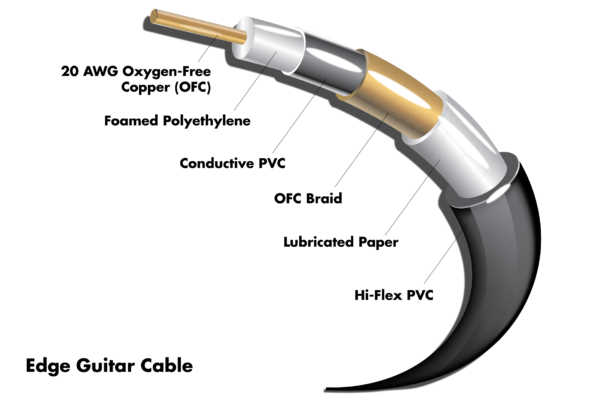
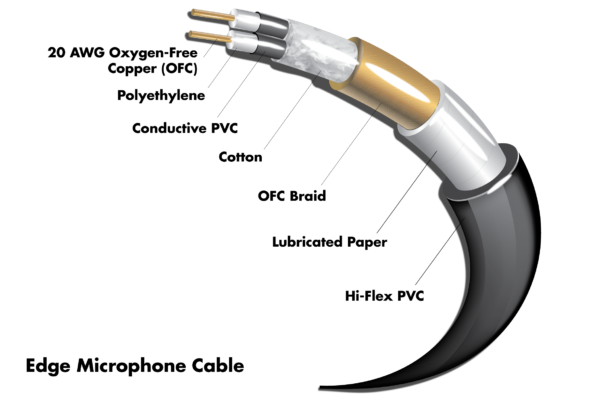
20 AWG OFC Conductor

The conductor at the center of the cable is what carries the signal between the ends. The lower the AWG (American wire gauge) is, the larger the conductor. 20 AWG is a large size conductor for the amount of voltage an instrument or mic cable needs to transfer, allowing there to be less resistance. Since cables are a cumulative effect, we use OFC (oxygen free copper) to minimize impurities, which works better in longer cable runs.

Polyethylene

A dielectric composite that acts as an electronic resistor, polyethylene keeps the charge from the conductor isolated, better preserving the signal inside.

Conductive PVC

This PVC layer dissipates static charges and electrostatic discharge, adding another layer of protection to keep the signal inside the conductor while keeping additional interference out.

OFC Braided Shielding

Mic and instrument levels are low in volume, requiring a preamp to boost them. This means that any unwanted noise a poorly-shielded cable picks up from the outside environment will be amplified along with it, creating unwelcome distortions in the sound. The shield in any cable is the main barrier to such interferences. The braided shielding in Edge microphone and instrument cables provides 95% coverage while allowing flexibility along its length. It’s among the most robust shielding on the market for these kinds of cables and, along with the lubricated paper surrounding it, creates extra-redundancy for optimal clarity.

As an added benefit of braided shielding, the mesh is such that twisting the cable becomes much more difficult and the cable resists breakage and shorts inside much more effectively.

Hi-Flex PVC

When you have braided shielding and tightly-packed components such as in Edge cables, there is the risk of creating a very stiff cable once the jacket is applied. The hi-flex PVC Hosa uses allows for optimal noise reduction and clarity while still being flexible.

Genuine Neutrik Connectors

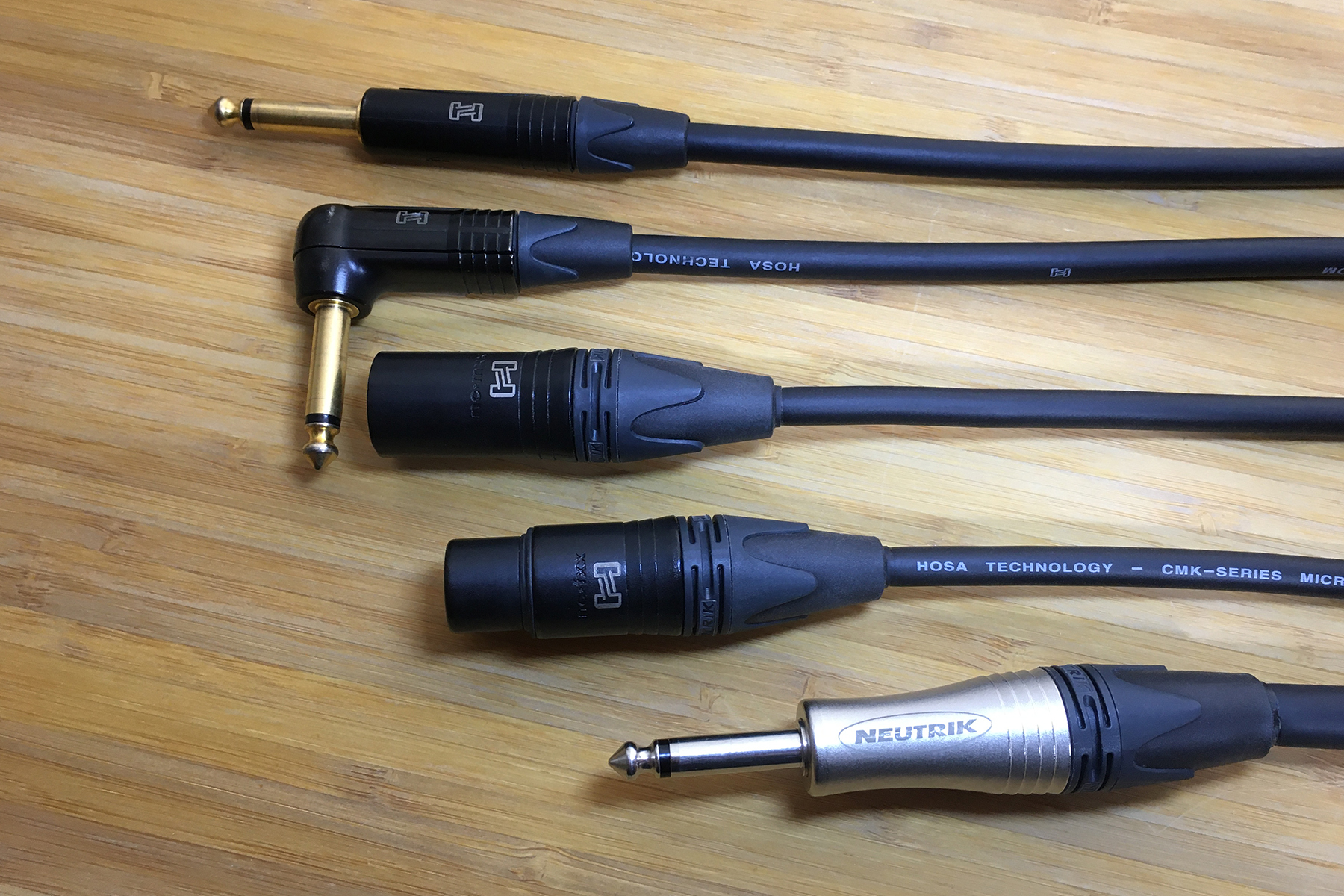
Neutrik AG connectors are world-class connectors known for their reliability and consistency. They are easy to service and have a unique strain-relief that is among the most effective in resisting the kinds of solder-breaks from constant pulling and tugging that plague cheaper connector types. The Neutrik ends on Hosa’s Edge microphone and instrument cables also have gold-plated connectors, which are more resistant to corrosion over time than nickel.

Edge Guitar Wiring DiagramEdge Microphone Wiring Diagram

Edge Speaker Cable

The last cable type currently in the Edge line is speaker cables. These come in speakON and ¼ inch configurations.

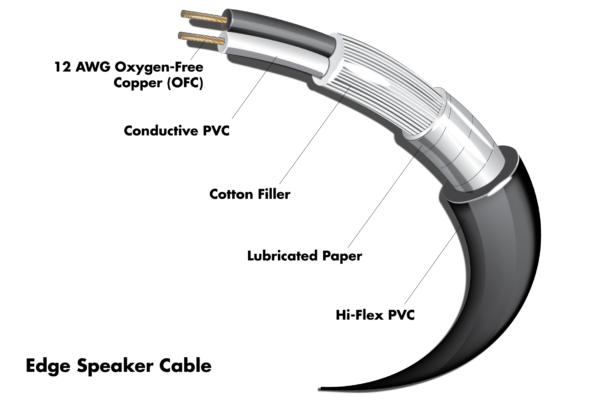
Since the speaker level has already been amplified, it’s not prone to exterior noise and interference the way mic and instrument levels are, thus it doesn’t require shielding. What it does require is an adequately sized conductor as it will not only be transmitting audio, but also power. Edge speaker cables use a 12 AWG OFC conductor, offering greater resistance and running more power over longer distances.

Edge Speaker Wiring Diagram

The Right Cable Components for the Right Purpose

With over-thirty five years of expertise in connectivity, Hosa set out to provide a true high-end cable that gives you the most clarity possible while withstanding the rigors of the road without the excessive price tag many boutique cables command. To experience the difference yourself, find it at your preferred Hosa reseller.

- Hosa

Do Audio Cables Affect Sound Quality?

The cable industry is a small but competitive place, with some companies making big claims about why their audio cables are better than others. We’ll take you through the cable components, claims, and myths to “cut through the noise” and explain when cables affect your sound.

Conductor

A cable’s conductor is the wire that conducts the electricity needed to pass signal and power. Conductors of appropriate size and material preserve the integrity of electrical transfer through the cable from the original source. Should the conductor be too small or made of inferior conductive metals, the audio signal will encounter more resistance and the sound will change.

Conductive Materials

Silver is the most conductive metal, which the human ear perceives as a brighter and more present sound. You don’t often see silver used in cables due mainly to its price.

Copper is the second most conductive metal and most commonly used in cables When compared to silver, the human ear perceives copper as a more balanced and “warm” sound. To learn more and hear how silver and copper compare, check out our previous story, The Advantage of Silver Cable.

Other common conductive metals for cables are gold and aluminum. Gold isn’t as conductive as silver or copper, and due to its cost, it’s never used as a primary conductor. Instead, gold is often used as a coating on cable connector ends, which we will cover below. Aluminum has much lower conductivity and is typically found in the most inexpensive audio cables, which lack the same clarity and brightness of sound.

Shielding

Part of audio quality is in cancelling or limiting noise that the conductor picks up between sources. In the case of balanced cables, shielding is less important because they typically transmit line-level audio signals that don’t need to be boosted, and part of their design is to carry two identical signals in opposite polarity before reversing one in the end, which cancels the noise.

Unbalanced cables are more prone to pick up unwanted noise in longer runs since the ground wire inside acts as an antenna, making it more susceptible to interference. Check out this video by CS Guitars for a visual breakdown of the difference in sound.

Instrument & Mic Cables

Shielding in these cables becomes much more important because their levels are comparatively low. The more noise they pick up, the more it gets amplified when boosted by a preamp, which is why you see manufacturers promote braided shielding in these cables. The braid provides more complete coverage of the conductor, minimizing noise that would degrade the sound.

Connectors

These are the aspects of every cable that you actually get to see, and influence. Most often connectors are made with a combination of nickel, rhodium, or gold-plating. The primary reason these metals are used isn’t because of their conductivity, but because they resist corrosion more effectively.

If there is any part of the connector that can most influence the sound, it’s likely to come from the solder point. Should the solder point break or degrade, you’re sure to experience less than desirable influences to your sound.

Conventional Wisdom or Audio Myth?

There are a lot of claims manufacturers and audiophiles make when it comes to cables. We couldn’t possibly answer them all, but here are a couple common ones that relate to the information above:

Gold-Plated Connectors Improve Your Tone

Although gold is the third most conductive metal behind copper, it would be rather dubious to claim any significant audible benefits of gold-plated connectors to the human ear. Aside from the gold plate being very thin, it’s really meant to protect the connector tip from oxidation. Ever notice sometimes old cables get discoloration and corrosion from the atmosphere and use? Gold withstands harsh conditions far more effectively.

OFC Sounds Better

OFC stands for Oxygen Free Copper, which is a grade given to copper with less than 0.001% oxygen. This is done to remove impurities in the copper and allow electrons to travel with less resistance, meaning more conductivity.

It’s worth noting that many have voiced skepticism that such conductive improvements are significant in an audio application. There’s little doubt some marketing-speak has exaggerated the difference OFC makes in cables, especially since few claims have been properly tested, or objectively observed.

But while there may be some mistruths or exaggerations when it comes to OFC affecting your sound, there are still reasons it’s beneficial. As pointed out in this Westlake Pro article, cables are many parts with a cumulative effect and OFC allows for less resistance on a subatomic level since electrons don’t travel in a straight line. OFC also runs cooler, is more durable, resists shorts and corrosion, and performs better in longer cable runs. It’s for these reasons that Hosa uses OFC in all of our cables without any misleading claims or price-gouging.

So, Do Audio Cables Make a Difference?

They certainly can, but it’s important to note that cables don’t “improve” your sound. Their purpose is to translate sound from the source as transparently as possible. Along the way, cables can pick up extra noise or experience degradation if the required specifications for their use are not met, which differs based on the context.

Want to learn more about why cables are important? Check out our video which goes in more depth about what the specs mean and why they matter:

- Hosa

Music & Audio Industry News Roundup – September

Welcome to the latest Music & Audio Industry News Roundup! Every month, we’ll share the top music and audio news headlines, stories and more from our ever-changing industry.

This month we’ll take a look at NAMM’s “Believe in Music” week, Google Play going away, Crew Nation raising $15M, Learning Modular, and creative merch ideas.

NAMM’s “Believe in Music” Week

NAMM Believe In Music 2021 Hosa
Image credit: NAMM

It’s no surprise considering the suspension of events and tradeshows that NAMM cancelled the annual trade show in Anaheim for January 2021. Instead, they will be hosting a “Believe in Music” week online event starting January 18. It’s here you’ll be able to find all the latest industry news and videos brought directly to you by your favorite manufacturers. (Read More)

Google Play Will be Silenced in December

Google Play Silenced Hosa
Image credit: Google Play

Starting in August, Google will begin phasing out Google Play and migrating that service to YouTube Music. For Google Play users, there will be a transfer tool available to migrate their accounts. Artists should be notifying their audiences about the upcoming change, which might wind up being helpful to keep music on Google to a single platform. (Read More)

Live Nation Raises $15M To Support Live Technicians

Live Nation Crew Nation Raise 15M Support Hosa
Image credit: Music Forward Foundation

With events currently cancelled, as is the livelihood of technicians and crews who make their living from such events. Live Nation’s Music Forward Foundation has announced that the Crew Nation global relief fund has raised more than $15 million to support music crews affected by the shutdown imposed due to COVID-19. You can still help by purchasing merchandise, which 100% of the proceeds go to help the unemployed. (Read More)

Chris Meyer Demystifies Modular Synthesis

Since 2016, Chris Meyer has been teaching modular synthesis both in online courses and on his YouTube channel, Learning Modular. There you will find a wealth of information on synthesizers and demonstration videos made for novices and experienced players alike.

Making the Most of Your Merch

Spotify Merch Elvis Presley Face Mask Hosa
Image credit: Spotify

It’s always important for musicians and entertainers to sell merchandise to their fanbase, but the global pandemic offers some unique opportunities to expand from more reserved and traditional bits of merchandise. Spotify for Artists wrote an insightful and short article on ways to be creative and meet the moment with your merch. (Read more)

Thanks for reading our September Music & Audio Industry News Round-up. If you enjoyed this recap and would like to continue to receive news, audio how-tos and product announcements directly from Hosa, subscribe to our newsletter today.

- Hosa

New Goby Labs Hand Sanitizer by Hosa Now Available

Kills 99.99% of all common bacteria

Buena Park, CA, August 2020 — Hosa is pleased to introduce the newest addition to the Goby Labs line of cleaning products, Goby Labs Hand Sanitizer. With safety and sanitation being ever more prevalent in the minds of performers and their audience, Goby Labs Hand Sanitizer is formulated within the FDA’s guidelines to offer protection and peace of mind in a convenient package.

Goby Labs Hand Sanitizer is 80% denatured ethyl alcohol v/v, meeting FDA regulations to protect against viral particles such as COVID-19. Because the solution is alcohol-based, it dries quickly, minimizing wait time before resuming normal performance tasks that would otherwise be delayed with wet hands.

Rather than being a gel, the Goby Labs Hand Sanitizer is a sprayable liquid, allowing the solution to be easily applied on the hands, arms, or common surfaces using the simple spray applicator. Once applied, you only need to distribute the solution by rubbing your hands until it dries.

Like most things in a performer’s life, there is a constant compromise between the size, weight, and space any of their equipment occupies, which is why Goby Labs Hand Sanitizer comes in an easily portable 2oz bottle. These will fit in any size gig bag or road kit alongside other Goby Labs sanitation products, like the Microphone Sanitizer, meaning you never have to find yourself without sanitizer due to the size of the bottle.

“People are understandably anxious about public events and how easily germs can spread”, adds Jose Gonzalez, Hosa’s Director of Marketing & Product Development. “Goby Labs Microphone Sanitizer has already been an established and trusted solution for sanitizing mics for the touring professional, so it seemed natural to pair an effective hand sanitizer alongside it that is easy to apply and convenient to take on the road.”

The New Goby Labs Hand Sanitizer will come in 2oz bottles. Find them at your favorite Hosa authorized reseller.

- Hosa

New Hosa SuperSpeed USB-C Cables Now Available

Faster transfer and more power

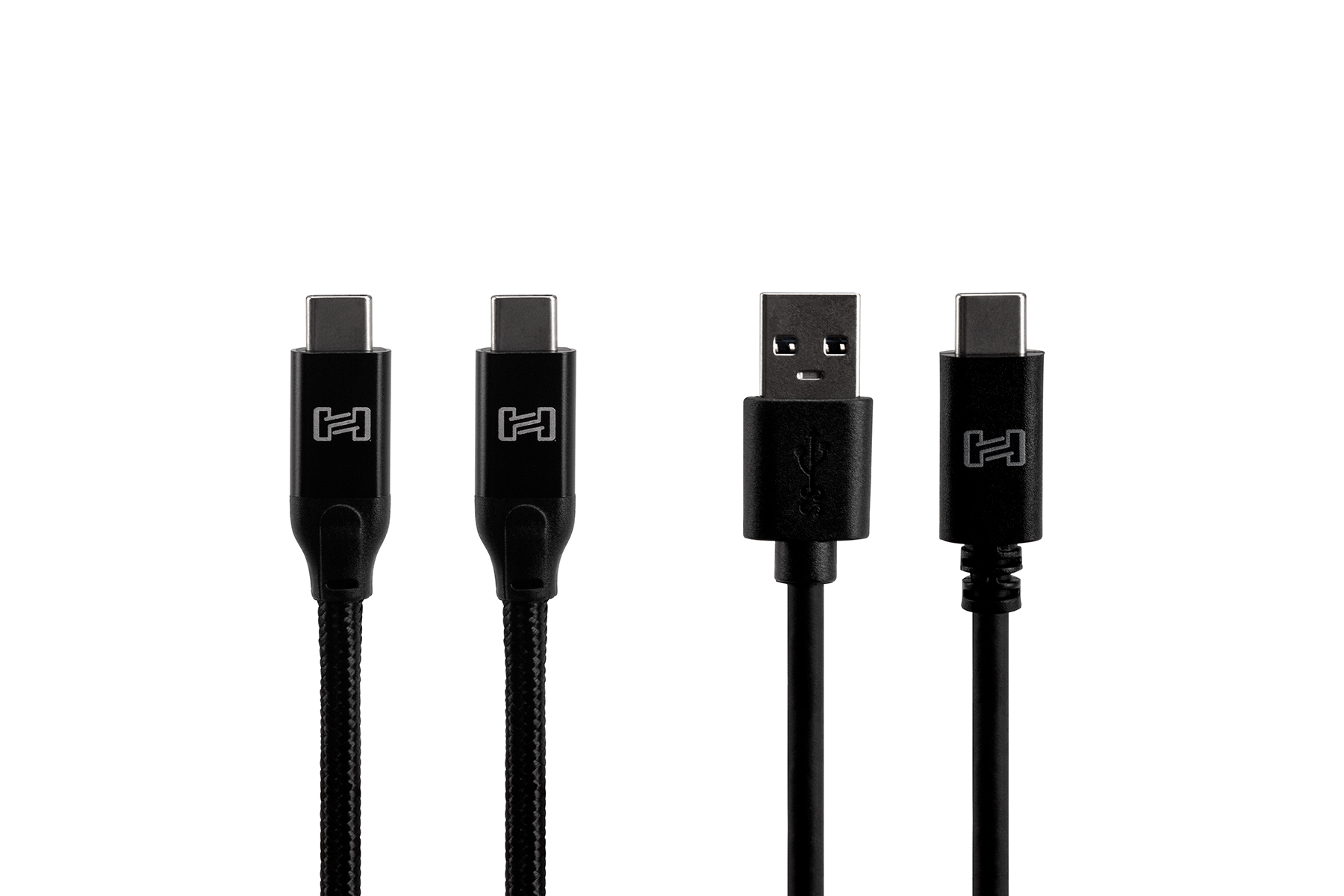
Buena Park, CA, August 2020 — Hosa is pleased to introduce two new cables featuring USB-C connectors. The USB-306CC USB 3.1 Gen 2 Cable features USB-C connectors on both ends while the USB-306CA USB Cable sports a USB-A connector for backward compatibility. With more equipment manufacturers adopting USB-C as their primary connection, these new Hosa cables provide the right solution from a trusted brand.

The Hosa SuperSpeed USB 3.1 Gen 2 Cable adds a protective weave around the cable jacket for added durability. It is the ideal cable for DJ’s and producers on the go. Combine the durability with Hosa’s lifetime warranty for even greater peace of mind.

The addition of USB 3.1 grants manufacturers the ability to transfer data and power at rates faster than ever before. SuperSpeed USB can be found in computers, televisions, tablets, smart phones, and many other devices. Hosa SuperSpeed USB cables are fully compliant with USB 3.1 Gen 2 specifications, providing transfer rates of up to 10 Gbps.

The USB-C connector is poised to supersede all previous USB connector combinations but there is still a need to interface between new and legacy equipment. The Hosa USB-306CA USB 3.0 Cable makes that possible. It can be used to connect a new laptop to an older device or to recharge your phone battery.

Jose Gonzalez, Hosa’s Director of Marketing & Product Development, added the following comment: “USB cables are part of daily life for most of us and now that manufacturers are fully embracing USB-C, we want people to count on Hosa for a rugged, reliable, and trustworthy connection.”

Hosa SuperSpeed USB 3.1 Gen 2 Type C to Same Cables and USB 3.0 Type A to C Cables are available now. Find them at your favorite Hosa authorized reseller.

- Hosa

Music & Audio Industry News Roundup – August

Welcome to the latest Music & Audio Industry News Roundup! Every month, we’ll share the top music and audio news headlines, stories and more from our ever-changing industry.

This month we’ll take a look at how to live stream concerts, music videos on Facebook, YouTube analytics for artists, David Wallimann, and studio monitors.

Build a Compelling Live Stream Show

Compelling Live Stream Hosa Music Roundup August
Image credit: Disc Makers

Since playing live isn’t possible for the moment, lots of musicians and performing artists are finding new, creative ways of staying active and engaging their audiences. Our friends at Disc Makers wrote a very good piece on how to make a compelling live performance over streaming. (Read More)

Facebook to Launch Music Videos in August

Facebook Music Videos Hosa Music Roundup August
Image credit: Alexander Koerner/Getty Images

Starting August 1, Facebook will now feature a page for artists’ official music videos. Artists won’t have to manually upload them. Instead, they can enable a setting on their page that will give Facebook permission to add the videos to their page. For info on what this means, and how to opt-in or opt-out as an artist, read more from our friends at TechCrunch. (Read More)

YouTube Adds Analytics Tools for Artists

YouTube recently improved the analytics capabilities that will help artists better engage and see trends in their audience. These tools will be available to Official Artist Channels, and even on the mobile app. Visit your YouTube Studio for more information.

David Wallimann Shares Guitar Secrets for Free

David Wallimann has been on YouTube for a long time. He started as a recording artist and private instructor, but over time started Guitar Playback, which gives beginner, intermediate, and advanced guitar lessons online. Many of the things covered in his courses, including gear demos and commentary are on David’s YouTube Channel, which is a must-watch for any guitarist.

Best Studio Monitors of 2020

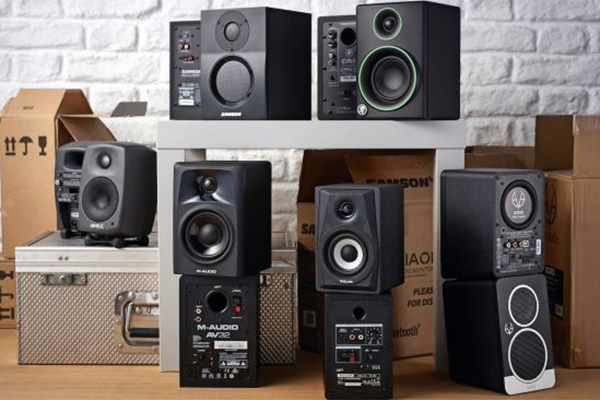
Best Studio Monitors Hosa Music Roundup August
Image credit: Future

Anybody doing recording or producing at home is always on the lookout for the best monitors on the market. These will ultimately influence how your mix turns out and translates to the many types of speakers out in public, from cars to earbuds. Music Radar put together a comprehensive list of the 10 best studio monitors available this year that we highly recommend you check out. (Read more)

Thanks for reading our August Music & Audio Industry News Round-up. If you enjoyed this recap and would like to continue to receive news, audio how-tos and product announcements directly from Hosa, subscribe to our newsletter today.

- Hosa

How to Wrap a Cable

After using our audio cables, most of us don’t think about the proper way to wrap them other than to quickly get them out of the way and cram them into whatever space available. However, the way you wrap and store your cables can have a significant effect on their longevity.

Incorrect Ways to Wrap a Cable

Over-Over

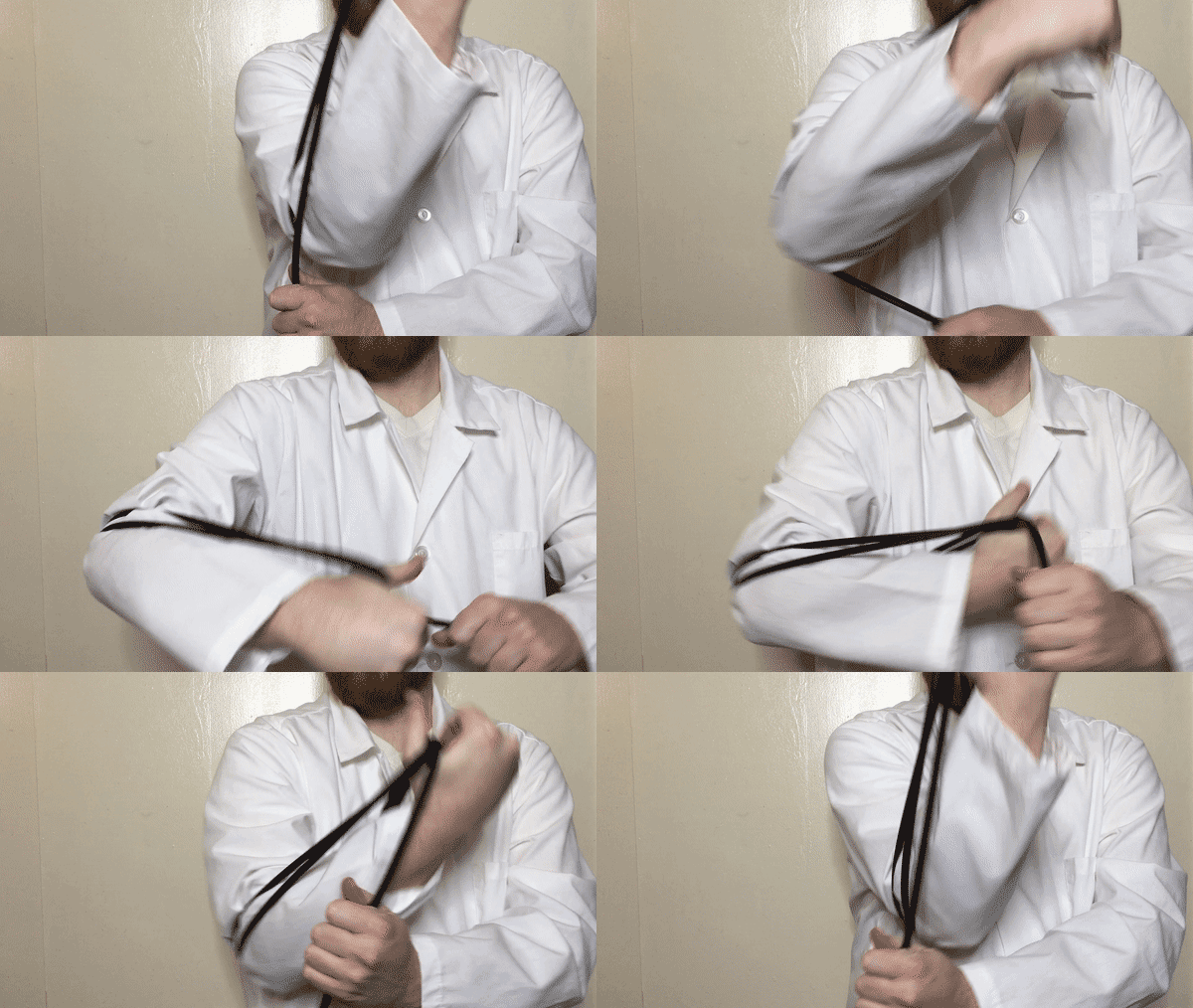
This is definitely the most common wrapping method out there. On the surface, it makes sense, right? You wrap the cable in the same consistent motion.

Wrap Cable Over Over Twist Hosa

Wrap Cable Over Elbow Twist Hosa

The problem with wrapping cable in this way is that the cable is continually twisted along its length and when dropped, there are all sorts of tangles and kinks that must be laboriously undone.

Aside from the simple inconvenience, the twisting over time can put stress on the cable and increase the likelihood of internal shorts which may cause it to stop working, or open gaps in its shielding, allowing for more interference. This is especially important for instrument cables and microphone cables, which are prone to pick up more noise.

Tying

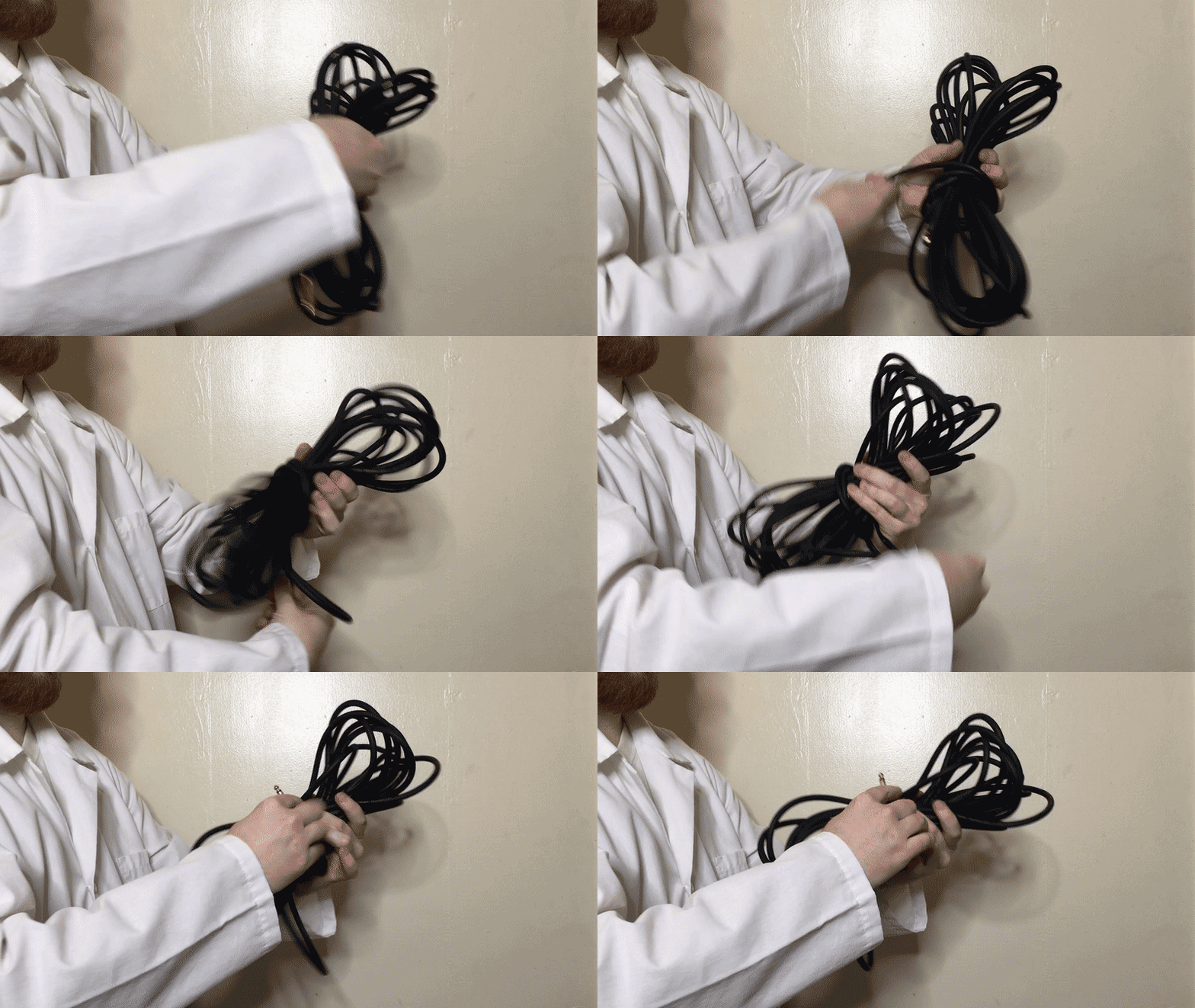
Some will wrap their cables in a bunch, or do the over-over method and then use the cable to tie itself together. This adds even more stress to the cable and will decrease its life significantly quicker, so we highly discourage you from this method.

Tie Cable Around Itself Hosa

The Correct Way to Wrap a Cable

Over-Under

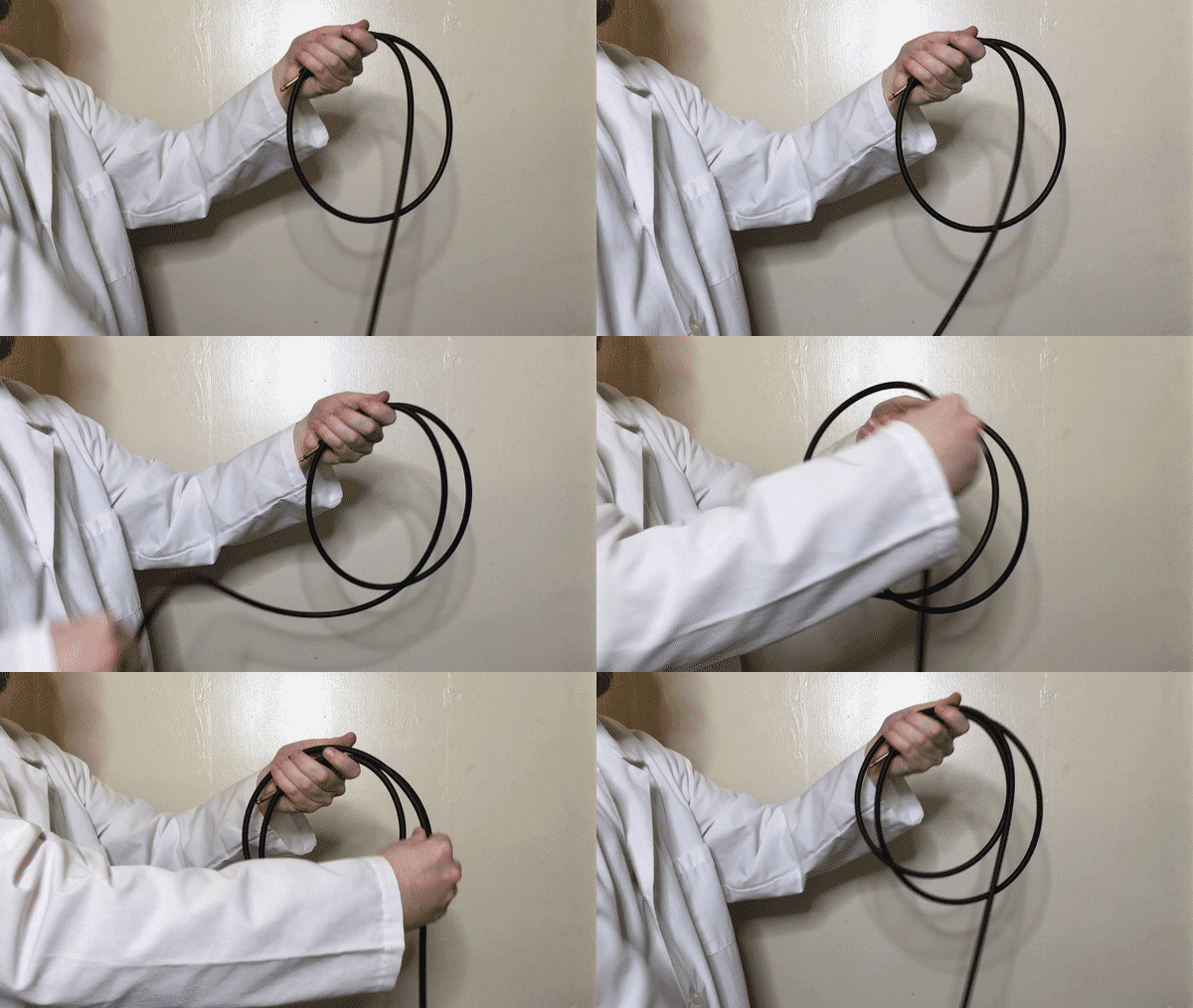
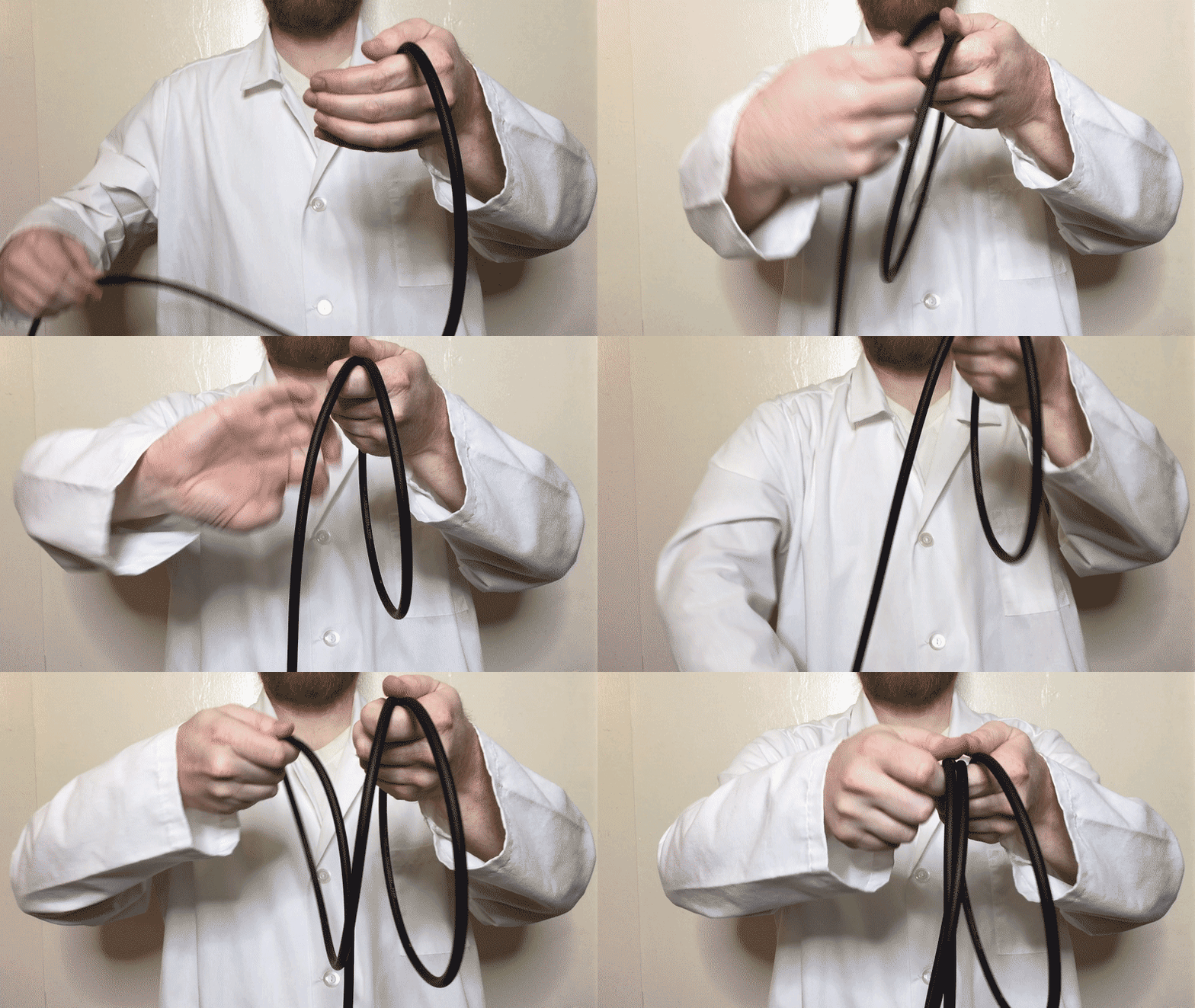
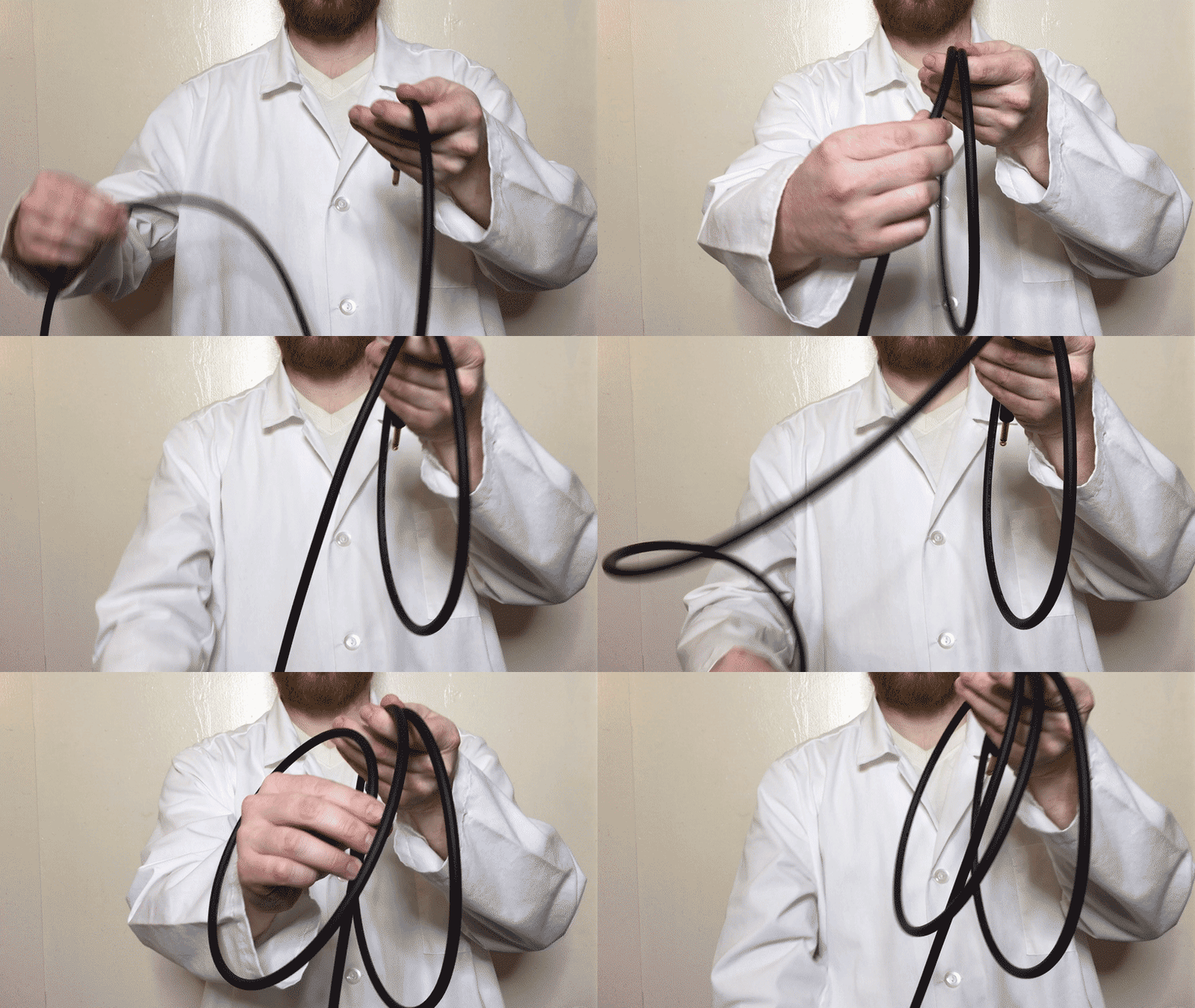
It may be a little funny to get used to at first, but once you start wrapping your cables in this way it becomes very intuitive. As we mentioned before, the issue with the over-over cable wrapping method is that the cable is continually twisted along its length. The over-under method means as you are twisting with the “over”, you are untwisting with the “under”.

Wrap Cable Correct Over Under Hosa

Wrap Cable Correct Over Under Hosa

This will reduce the tension on the cable while wrapping and as it’s stored, making it easier to uncoil and ultimately increasing the cable’s longevity.

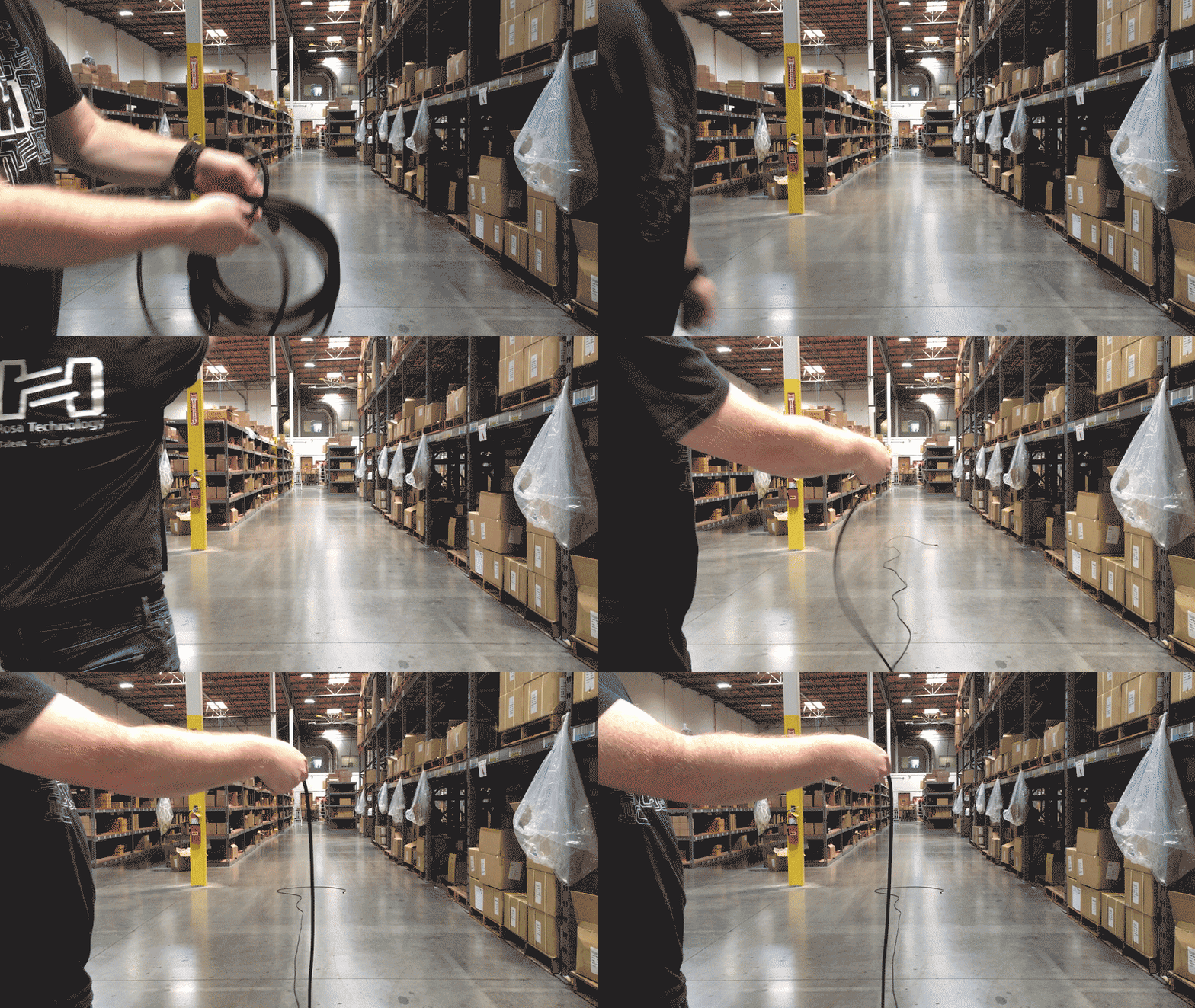
You’ll know you’re doing it right when you can throw your cable and it uncoils without any snarls or kinks.

Toss Cable Flat Wrapped Correctly Hosa

Cable Storage

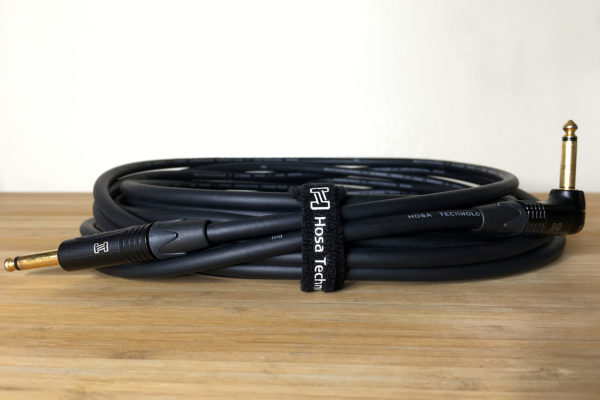
When storing your cables, try to keep them either hanging or laying in a relaxed position as much as possible. Cable ties come in very handy for keeping your cables neatly organized and separated, especially if you have them in a pile or gig bag. Hosa offers a wide array of cable organizers to help keep things efficient depending on your preferences.

Wrap Cable Wire Tie Velcro Hosa

If you’ve had cables stored for a while that you don’t frequently use and don’t know whether they still work or not (because you certainly don’t want to test them at a gig), it’s also helpful to invest in a cable tester. This allows you to test each connection point on your cables and make sure everything is in working order before putting them into commission.

- Hosa

How to Set up a Guitar Pedalboard

With so many effects and hybrid multi-effects guitar pedals on the market, it’s easy for beginners to quickly feel overwhelmed. There is a conventional order for guitar pedals based on which effects ideally work with a dry or processed audio signal. We’ll do our best to demystify things as briefly as possible.

Choosing the Right Pedalboard – The right dimensions to fit all your pedals
How to Power Your Guitar Pedalboard – Choosing the right power supply
Finding the Right Footswitches – Controlling the channels on your amplifier
Connect Your Pedals with Patch Cables – Figuring out the right length and space
Define Your Guitar Pedalboard Order – A suggested order of effect types and why
True Bypass vs Buffered Bypass – A simple explanation of different bypass types
Guitar Pedalboard Mini Hosa

The Most Important Rule is There Are No Rules

While many guitarists place pedals in a conventional way, there are no set rules. Just remember that when you have multiple effects engaged, the pedals closer to the end of the chain will filter the entire sound before it. The most important thing is to be creative and find the sound that inspires you. If that means you assemble your pedals in an unusual order, nobody can tell you you’re wrong.

Your Guitar Pedalboard Set-up – Getting Started

The guitar pedal market has exploded in recent years, saturating the market with options galore for every piece you could use for your pedal board setup. With so many options, it’s important to know what to look for and do your research.

Choosing the Right Pedalboard

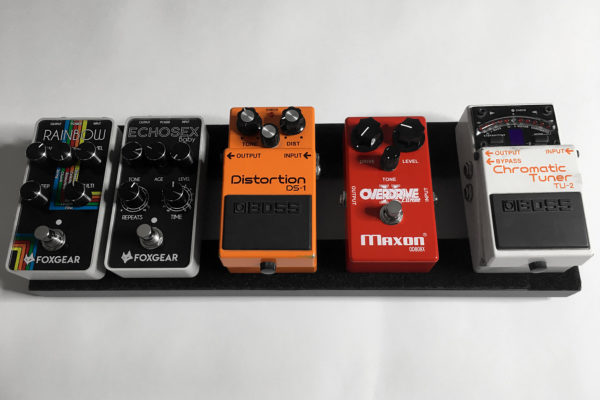
If you’re like the average guitarist, pedals probably find their way on and off your board. It’s important to know when building a guitar pedalboard how many pedals you need, between those you currently have and maybe some you expect to get in the future. Pedalboards come in many different shapes and sizes to accommodate large and small setups. One helpful resource is the Pedaltrain Pedalboard Planner. You can select from popular pedals and the different size boards Pedaltrain offers to see how they fit.

The market also offers many configuration options. Some pedalboards will have small holes to hide your cables discreetly underneath the board like the Templeboards Duo Series, or several horizontal strips like the Pedaltrain Classic. Another option is to have a switcher built into the pedalboard like the Voodoo Lab Dingbat, which helps you program multiple pedal paths and combinations with a single switch. For those with a very large pedal setup, the Vertex Travel Plus includes a riser to add an additional level to your pedalboard without occupying more floor space. With this option you will lose the ability to engage some effects, so these are likely pedals that will always be engaged, or activated using a switcher.

Pedalboard Sizes – Powerful vs. Portable

The size of your pedalboard will be determined by the number of pedals you have, and also how you want to use it. If you’re somebody who is doing lots of gigging and carrying your equipment around all the time, chances are you will want the most portable solution, which favors smaller, lightweight options. If you mostly play and record at home, chances are greater that you love having your “space station”, and a more robust pedal board with all the bells and whistles may be what most inspires your creativity.
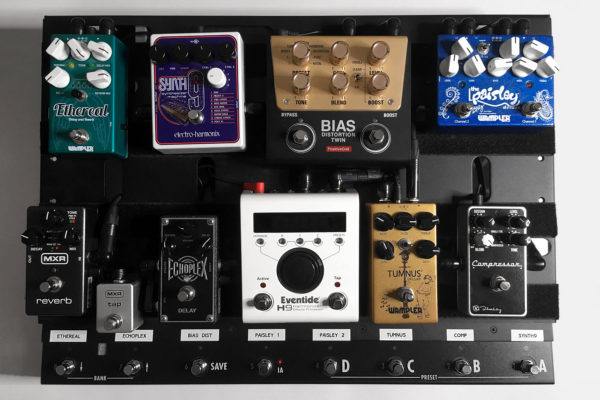
Guitar Pedalboard Hosa Edge Cables

How to Power Your Guitar Pedalboard

Each guitar pedal will require power to operate. Most pedals will have a DC output which gets powered through a power supply. There are many options on the market, but you want to make sure your power supply has enough outputs to power the pedals on your board, and with the correct voltage required for that pedal. It may not always be the most ideal solution, but it’s sometimes necessary to use a Daisy Chain Extension Cord from the same power source to various pedals.

The reason it’s ideal to use a designated power supply rather than just plugging directly into a wall is that a power supply can help isolate your pedals from interference and additional noise. Power pedals run on DC (direct current), while AC (alternating current) is the power that comes from our walls. Some pedals will come with “wall warts” that will transform AC into DC voltage and amperage, like 9 volts. Be mindful of the milliamps (mA) that your pedals require so you use the correct output on your power supply. Usually pedals are 100mA or below, but those higher would need a designated output with higher amperage to be powered.
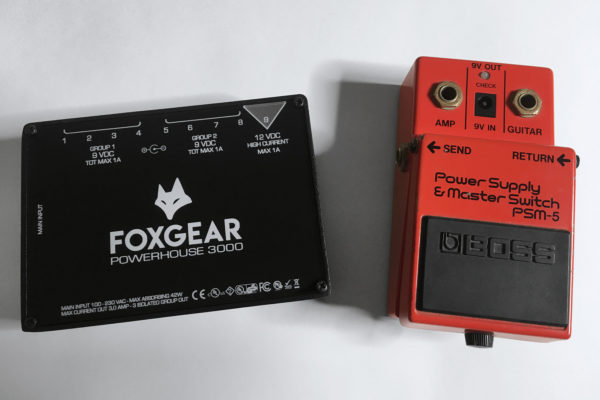
Power Supply Build Pedalboard Hosa

Finding the Right Footswitches

For amps that have multiple channels, you may want to save room on your board for a footswitch. Some amps come with their own, but Hosa also makes TRS Footswitches that will work with most amplifiers and are economical in space.

Connect Your Pedals with Patch Cables

One thing you learn quickly is that cables take up a decent amount of real estate on a pedalboard. Each pedal has either side mounted or top mounted inputs and outputs that will influence both where they are placed on your board and what types of guitar patch cables are needed. For pedals connected right next to one another, 6” cables work best, but often you will need 12”, 18”, or 24” patch cables to connect pedals around your board.

As each pedalboard has unique requirements, Hosa currently offers seven variations of guitar patch cables. Hosa’s assortment provides players with nearly every option they could need, including variations in length, space-savings, and sonic integrity.
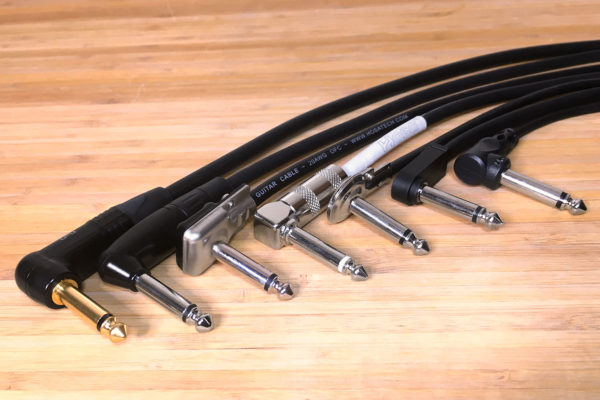
Guitar Patch Cables Edge Pro Pedalboard Hosa

Pedal couplers are also another option, though these are not great solutions for pedals that will be stepped on. This solution can damage the coupler or the jack on your pedals over time as jacks are never truly aligned perfectly and applying weight with your foot will add stress. If you use these, make sure they are for pedals that will always remain on and may be engaged with a loop switcher.

Define Your Guitar Pedalboard Order

When it comes to your sound, there is no exact science to follow, but below is a common order of effects based on how each will alter the signal before it.

1. Tuner

The best place for your tuner is right at the start of your chain. That’s because when you tune, you want the purest signal directly from your guitar. If a pedal were to be before it, the signal might be manipulated or degraded and tuning becomes inconsistent. Most tuners also mute anything after it in the chain when it’s engaged.

2. Filters

The most common filter is a wah pedal. These work well earlier in the chain to manipulate the raw sound of your guitar to then add textures with other effects later in the chain.
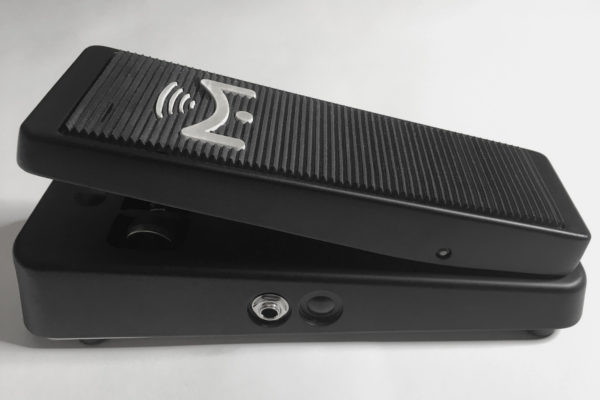
Wah Pedal Pedalboard Hosa

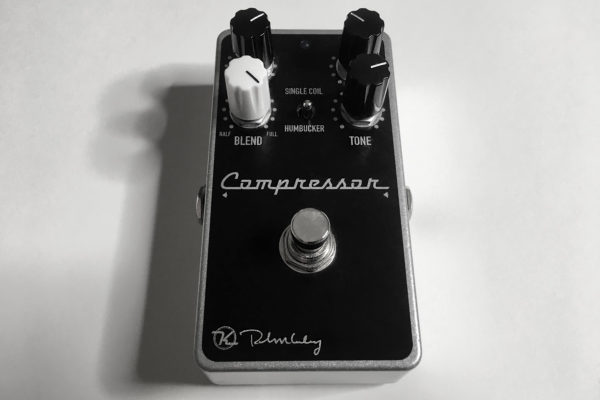
3. Compressors

Compression will add fullness to your sound. It can also help your playing sound more dynamically consistent, such as light and heavy strumming having a similar attack.
Compressor Pedal Pedalboard Hosa

4. Pitch Shifters

These are effects like octavers, arpeggiators, and anything that changes the pitch of the notes you play. You likely want these before any type of gain since a clean signal gets a more accurate representation of that pitch.

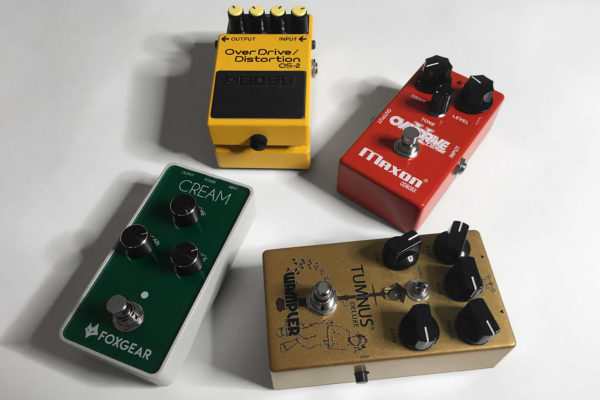
5. Overdrives

Probably the most common effect on any pedalboard, overdrives boost the signal from your guitar into the amplifier, which is why they are often called “boost pedals”. These are used to add some grit to clean sounds or tighten the low end on high gain amplifiers since they emphasize the midrange, and the guitar is a midrange instrument.
Overdrive Pedal Pedalboard Hosa

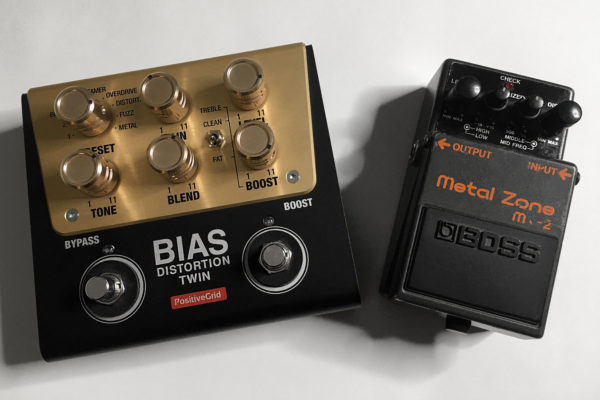
6. Gain

Distortion and fuzz pedals add compression and “dirt”, giving the sound a harder edge that is quintessential for rock and metal-style playing.
Gain Pedal Pedalboard Hosa

7. EQ

This is a hard guitar pedal to know where to place since it’s there to refine a sound, either to emphasize or minimize a certain frequency. Some players EQ the raw sound coming out of their guitars, others put it here after distortions, which can create harshness in certain frequencies that an EQ pedal will help tame.

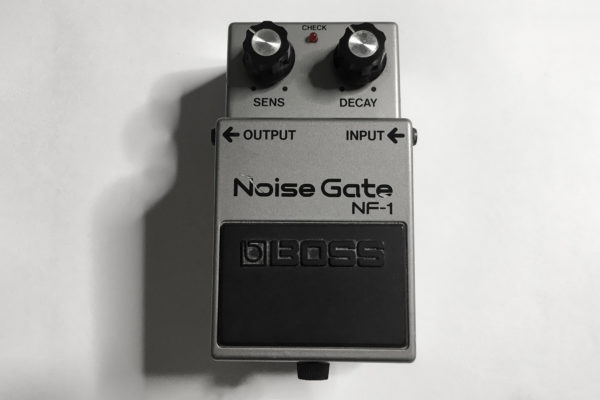
8. Noise Gates

These can also go several places in the chain depending on where the most noise is generated that you want to control. Often noise gates are added after the gain stage, since increasing the gain also increases noise and distortions that not all players find pleasant, especially if they want a tight, articulated sound.
Noise Gate Guitar Pedal Pedalboard Hosa

9. Modulation

These effects include phasers, flangers, chorus, tremolo, and vibrato. You would most often use these to modulate the entire sound up to this point.
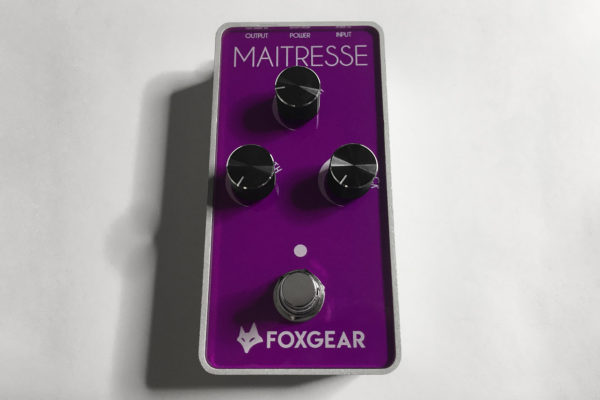
Modulation Pedal Pedalboard Hosa

10. Time-based

There is some debate among players as to whether the delay or reverb pedal should go first, but in most instances reverb goes after the delay. These pedals help give the listener an impression of the environment everything is being played in. Less reverb and delay makes things sound more focused, while lots of reverb and delay gives the listener the impression of a larger space and sound stage.
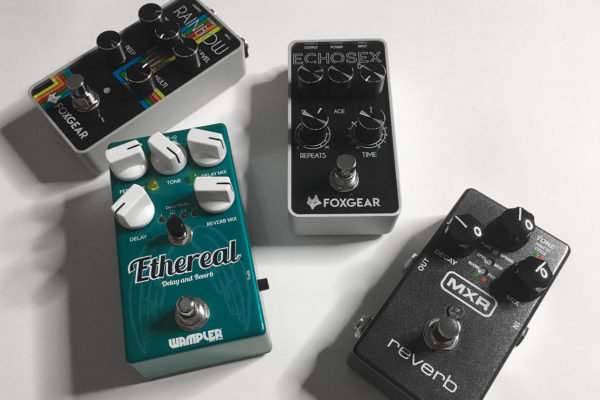
Time based Pedal Pedalboard Hosa

11. Volume

Some people also prefer to have the volume pedal in the beginning of their chain, meaning if they do volume swells, time based-effects like reverb and delay will give a more spacious, ambient trail effect. At the end of your chain, the volume pedal will quiet or silence everything immediately.
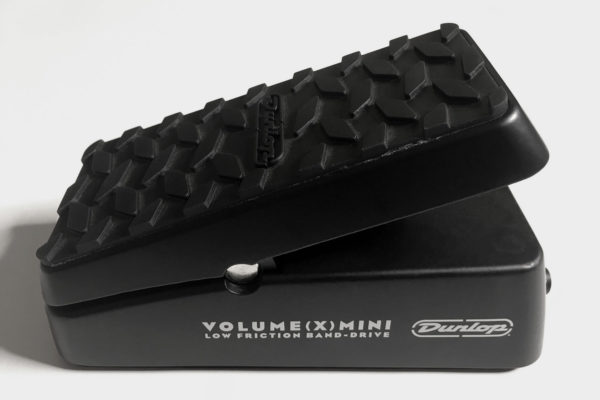
Volume Pedal Pedalboard Hosa

True Bypass vs Buffered Bypass

If you’re researching pedals, these are terms you have encountered many times. A true bypass pedal means that when it is disengaged, the signal passes through the pedal unaffected. While that doesn’t color your sound, it extends the run of cable through your board, which can sometimes lead to signal degradation. Buffered bypass pedals boost the signal even when disengaged, allowing for you to have longer cable runs without the signal strength degrading, though this will come with some form of coloration to the sound.

Change is Inevitable

Each year there are more and more new pedal options and manufacturers. Chances are you will go through different pedals and boards trying to find the right fit for you, or maybe it’s just fun to experiment with all the sounds and options out there. In either case, just as innovation and evolution are the norm in the pedal world, so should it be in your creativity. Experiment and blaze your own path.

If you want more information on the different patch cable styles Hosa offers, please visit the Guitar Patch Cables page on our website. With options from pancake style connectors to genuine Neutrik tips, Hosa’s assortment has what you need to best fit the type of board you’re making, on any budget.

- Hosa

Music & Audio Industry News Roundup – July

Welcome to the latest Music & Audio Industry News Roundup! Every month, we’ll share the top music and audio news headlines, stories and more from our ever-changing industry.

This month we’ll take a look at virtual tradeshows, Instagram, increasing employment, Andrew Huang, and the latest plans for NAMM 2021.

Virtual Tradeshows Becoming the Norm

Virtual Tradeshows Hosa Music Roundup July

Photo credit: Worship AVL
Industries are adapting, and we are seeing lots of trade shows going virtual, bringing manufacturer content directly to the users screen rather than the show floor. This means more company investment into video content, including demonstrations and overviews for products and services that will be even more publicly distributed. (Read More)

Instagram is Helping Musicians Sell Merch

Instagram Musicians Merch Hosa Music Roundup July
Photo credit: Music Business Worldwide
Instagram has recently expanded their shopping feature, allowing for creators and musicians that meet their commerce eligibility requirements to link from posts & stories to their storefront. In a time where musicians find normal sources of income either dramatically reduced or completely removed, the more opportunities to sell merchandise will help wade the waters until traditional incomes return. (Read More)

American Jobs Are Storming Back as States Reopen

Jobs Storming Back Hosa Music Roundup July
Photo credit: Free To Use Sounds
Even with some hiccups, states have reopened and are seeing establishments return with distancing measures, which means employment and customers. This turnaround bodes well for the music industry, where many artists and retailers are out of work. (Read More)

Andrew Huang’s YouTube Channel is a Weird, Creative Paradise


Andrew Huang is a Toronto-based music and video producer with a penchant for working within absurd, self-imposed limitations. Just as often as he releases videos turning random noises into addicting melodies, he gives DIY tips to aspiring songwriters, producers, and engineers of all styles. Check out Andrew’s YouTube channel, which has over 2 million subscribers.

NAMM Announces Intentions to Keep the Show On

NAMM Show Hosa Music Roundup July
Photo credit: NAMM
NAMM has announced its intentions to have the 2021 show in January after discussions about cancelling until 2022. For an industry that’s been hit hard, they see this as a chance to help rebuild for manufacturers and retailers. NAMM will be working with local authorities and health agencies to make sure safe distancing measures are in place. (Read more)

Thanks for reading our July Music & Audio Industry News Round-up. If you enjoyed this recap and would like to continue to receive news, audio how-tos and product announcements directly from Hosa, subscribe to our newsletter today.

- Hosa